I can usually remember what I was working on. Remembering which directory I was in, which agent I used, and what that session was called is harder. I made Session Hop so I could search my local Pi, Claude Code, and Codex sessions in one place.
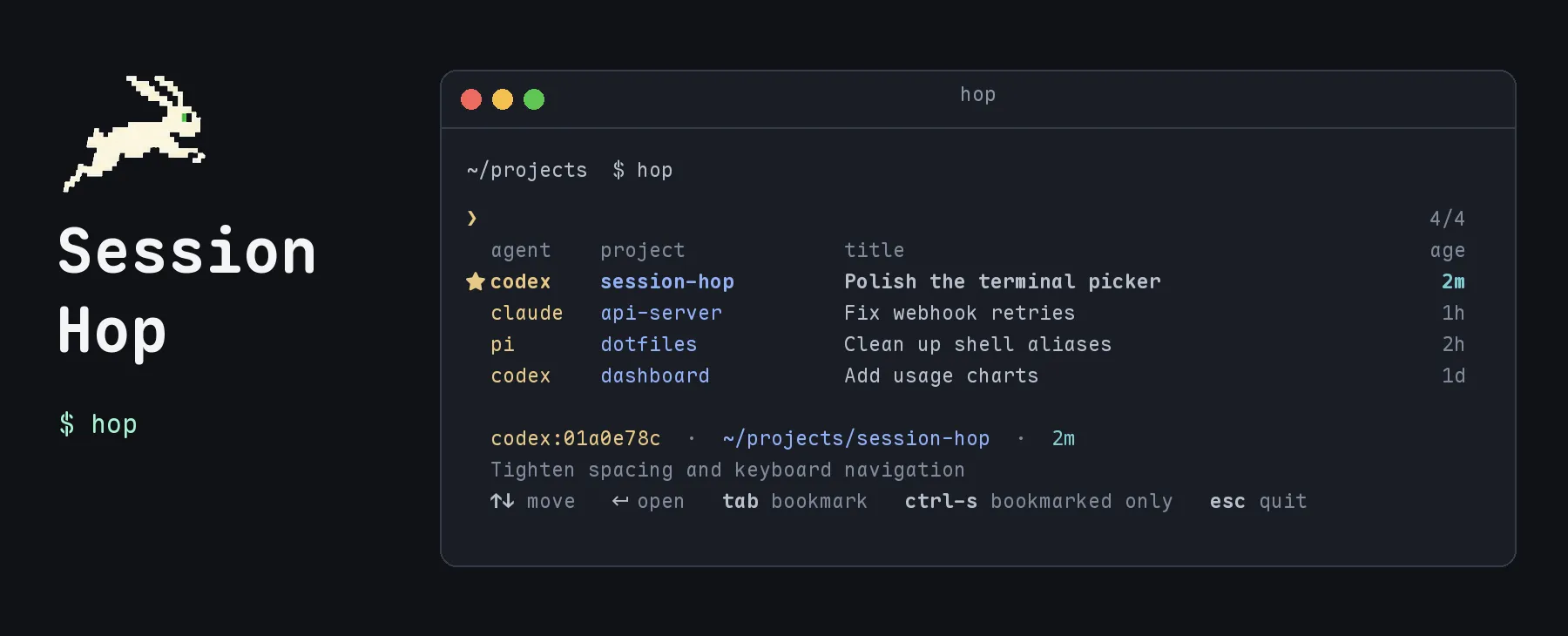
I run hop to browse sessions. Search to filter the list, and press Enter when the session is found. Session Hop changes to the session’s working dir and runs that agent’s resume command.
A few ways to invoke hop:
hop                 # Browse every session
hop stripe webhooks # Search across agents and projects
hop -p .            # Limit the picker to this Git checkout
hop -b              # Start with bookmarks only
The picker also lets me bookmark a session when I’m leaving work. I can give it a note like “waiting on production credentials,” rename it in Session Hop without changing the agent’s title, or add a tag to make it easier to find later. hop open <id> skips the picker if I already know which session I want.
Under the hood, hop reads the agents’ local session files and keeps a small SQLite index. It scans for changed files when you run a command, so there’s no background service to set up. The index holds paths and short excerpts of my messages, not full transcripts or model replies. Everything stays on my machine. Session Hop doesn’t call an AI model or send anything over the network.
Session Hop is a Python script with no third-party dependencies. You can install it with Homebrew or from the repository. (The first scan may take a few seconds if you have a lot of sessions.) After that, it only reads files that changed.