My kids wanted to know how a key unlocks a door. I know the answer, but I can’t draw it, and waving my hands over a real lock doesn’t show much. Everything that matters happens inside the cylinder, where nobody can see it.
Anatomy is a skill for Claude Code made by Ryan. You give it an idea, Claude picks a real object that shows it, and then builds that object as an interactive isometric drawing out of dozens of small, shaded parts.
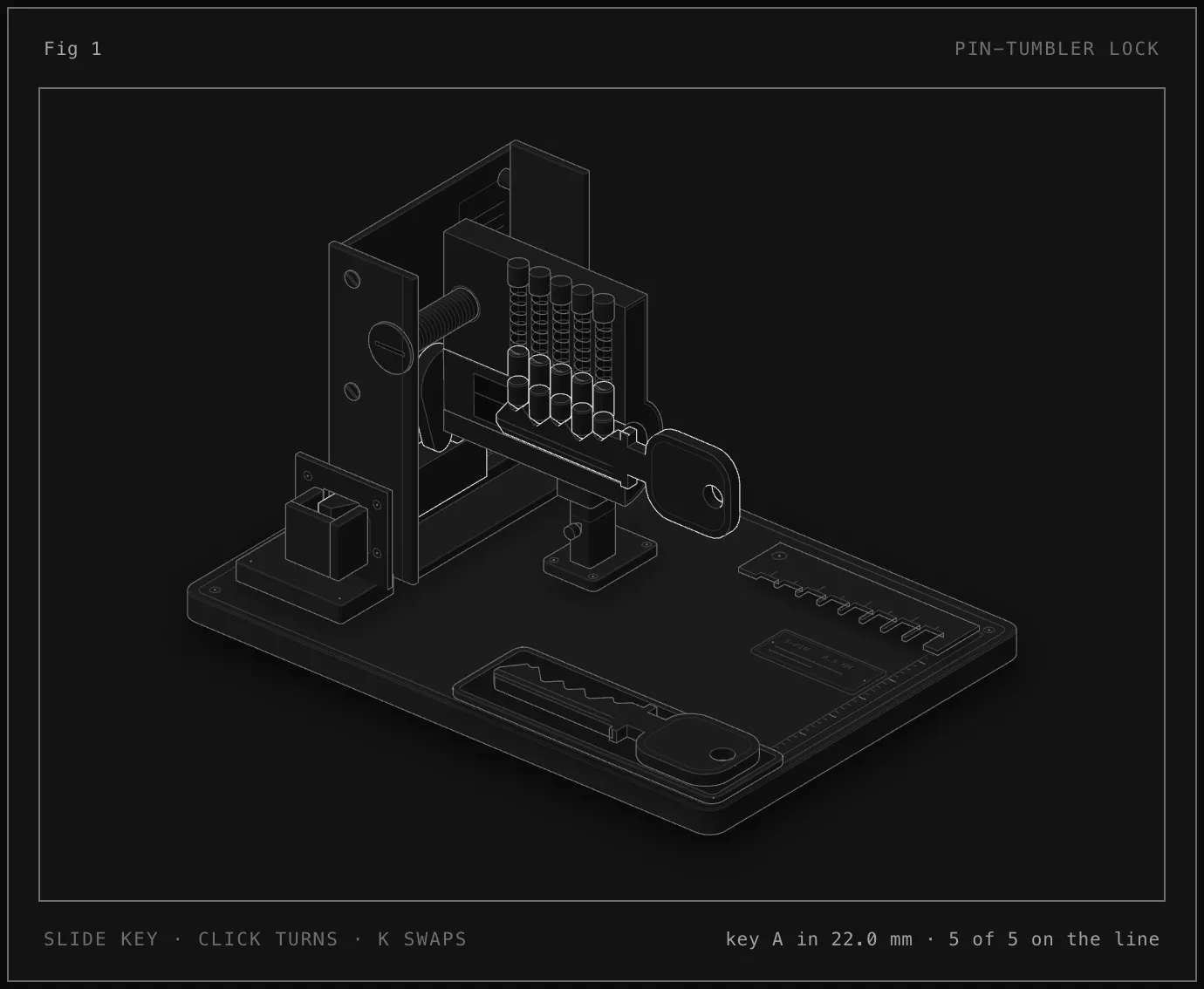
What came back is a Euro cylinder with its side cut away, screwed into a latch case with the cover off. You can see all five pin stacks, each one a key pin, a driver and a spring. You slide the key in with the mouse, click to turn it, and press K to swap in a second key.
That’s the part that worked with the kids. As the key slides in, the pins ride up and down over its cuts. Once it’s all the way in, every key pin sits exactly on the shear line, the gap between the plug and the shell, and the plug turns.
Then we swapped to key B. It looks almost the same, and it lifts all five pins. Two of its cuts are just 1 mm off, so two pins stop short of the line and the plug won’t turn. That got a better reaction than anything I could have said. A key that’s “almost right” opens nothing, and now they could see why.
You can play with the lock here.
You can install the skill with:
npx skills add wheresryan22/anatomy -gThen just ask Claude Code to explain something and name the idea, not the drawing. The Anatomy page has the full write-up and a collection of examples, from a dial gauge to a Raptor engine.